
Lessons from the Homelab
How to remove dependency on the Cloud and learn to love the containers

Homelabs are a continuous journey with frequent waypoints and rarely have a final stopping point.
This is my main takeaway from the last year of building out my own personal cloud setup at home. What is time consuming, annoying, and frustrating eventually turns into a great reward when systems are in place. Once you hit a critical threshold of work put into the homelab, everything else suddenly slots into place and what becomes a time sink becomes a positive feedback system, where everything builds on itself to becomes a self sufficient aid to your everyday digital life.
I started a homelab journey over a year ago when deciding to build out a NAS along with an AI Server. You can see the results of that here:

Since then I have added new hardware and software to my deployments and now feel like my homelab is now a net benefit over the amount of time I spent setting everything up. This was a major relief, since those weekend days and nights felt almost pointless at times, often stuck on the command line configuring something that wouldn’t work, ready to pay the $10 per month for life tithe to the SaaS gods for a comfy day. However I stuck with it, and like most things, the breakthrough does happen and the information crystallizes into actual knowledge, which then lets you execute. That’s why a homelab is for, making your life better, whether it’s for entertainment or for data sovereignty.
I recently realized the power of my setup when I was playing around with my Meshtastic radios and needed a MQTT server to demo thing that functionality out. I realized I can just deploy a docker container on my unRaid box in a few seconds, setup the radio to communicate over my bluetooth to the MQTT container, and then hook up a client on my Mac to check out the traffic. It didn’t work perfectly, but I was able to take an idea into action in just a few minutes with my network setup easily accommodating. I didn’t have to sign up for some service or give away my personal info or data for any of this.
Another example was getting Telegraf setup on my AI server for hardware metrics shown over Grafana. I wanted a nice dashboard I could use to monitor my CPU, RAM, and GPU usage when gaming or running AI inference. I installed Telegraf on my Desktop to ship the data, configured InfluxDB for a time series db, and then visualized with Grafana, all as docker containers to take the data and process it. In a few hours I had full metrics being shipped on my personal devices with all the flexibility Grafana gives to query and display data in beautiful ways.
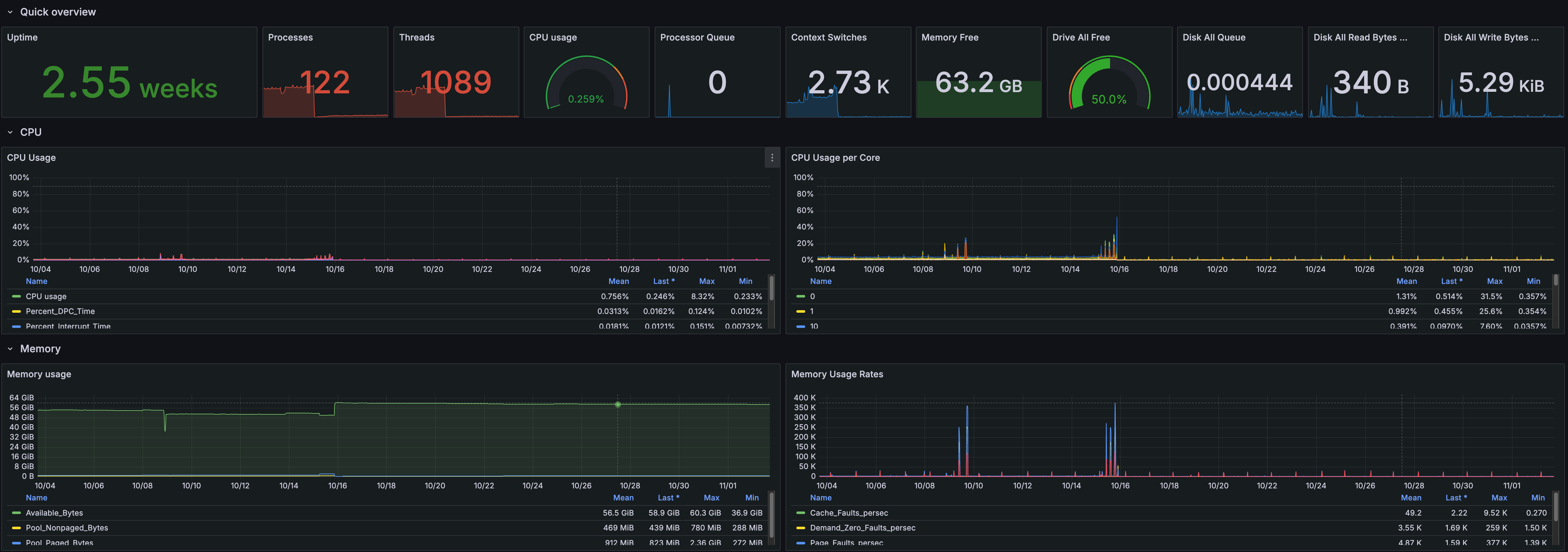
The key to everything here is set it and forget it automation, diligent note taking, a healthy dose of AI troubleshooting, of course docker containers. Once I got these practices down, it was easy to expand the setup more and not stress about maintenance burdens. I don’t spend a ton of time on the lab now and mostly just use the applications I have, but I can expand capabilities if needed once I find a new idea or niche to explore into. Even when I do spend time on it, it’s now fun! I have a true self hosted platform that I enjoy tinkering with.
Homelabs can take many shapes and sizes, so everything I offer here won’t be perfect for your situation, but I hope you can learn a few things and implement them on your own end, or even inspire you to start your homelab journey.
Let’s dive into the key takeaways on how to make our lives easier.
